

Najva SMS guide
With the Najva SMS panel you can get your message to all your customers and engage with your users easily, quickly, and at scale. Send sales campaigns, discount codes, purchase receipts, and more to your users by SMS and get a response as fast as possible.
Two types of SMS
Section titled “Two types of SMS”- Retention SMS: sent to your current customers and contacts. It costs less, and the Najva SMS panel is designed for this type of sending.
- Promotional SMS: sent to public phone number databases (people who are not yet your customers). It costs more and requires special permits.
In general, working with the Najva SMS panel follows this flow:
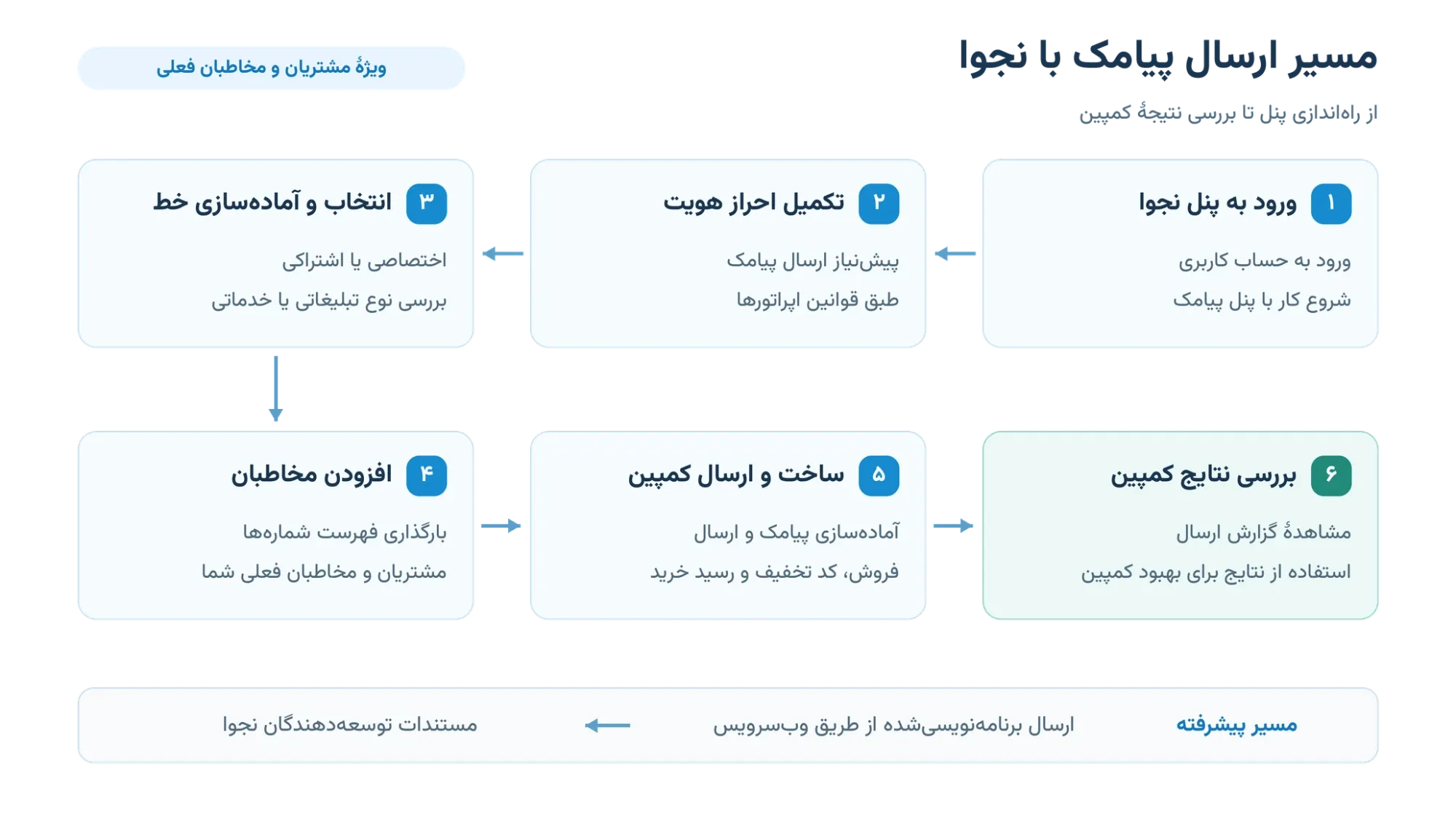
Guides in this section
Section titled “Guides in this section”Initial setup
Section titled “Initial setup”- Line types — the difference between promotional/service and dedicated/shared lines
- Buying or transferring a dedicated line
- Converting a dedicated line to a service line
Sending campaigns
Section titled “Sending campaigns”Reporting and advanced settings
Section titled “Reporting and advanced settings”Prerequisites
Section titled “Prerequisites”If you have not signed in to the Najva panel yet, start with the guide to signing in to the panel. Under operator regulations, you must also complete account identity verification before sending SMS from the Najva panel.
Advanced integration (API)
Section titled “Advanced integration (API)”To send SMS programmatically through the web service, see the Najva developer documentation.